AWS Step-by-Step
Preparing for Amazon's Elastic VMware Service
Amazon recently launched its Elastic VMware Service, which allows you to host a VMware Cloud Foundation environment withing the Amazon cloud. This new service will likely prove to be tremendously beneficial to organizations that are currently running VMware environments, because it will give them the option of moving their VMware virtual machines to the Amazon cloud. Because VMware Cloud Foundation is running natively inside of AWS, it should be possible to migrate virtual machines without having to perform any major refactoring. In other words, VMware shops will be able to take advantage of cloud scalability and reliability with minimal effort.
As great as all of this may sound, there are a few things that you need to know about the Elastic VMware Service before you begin the deployment process.
Licensing Requirements
Unlike most of the other services that are available within the AWS cloud, Amazon doesn't automatically provide you with the required licenses. Instead, you are going to need to purchase a VMware Cloud Foundation license from Broadcom before you will be able to use the AWS Elastic VMware Service. The setup process requires you to enter your VMware site ID, VCF solution key, and VSAN license key.
It's also worth noting that as of right now, Amazon only supports VMware Cloud Foundation version 5.2.1, so you will need to make sure that your licenses align with the proper version.
Initially, an Elastic VMware Service deployment will leverage four i4i.metal instances, each with 64 cores. This means that at a bare minimum, your VMware licenses need to cover you for at least 256 cores.
This brings up another important point. The VMware licenses are not the only costs associated with hosting a VMware Cloud Foundation environment in the cloud. Remember, Amazon bills you for the cloud resources that you consume. As such, there will be costs associated with the four instances and the supporting infrastructure.
AWS Prerequisites
Before you will be able to deploy VMware Cloud Foundation, there are some AWS prerequisites that you will need to meet. For starters, Amazon requires you to have an AWS Business Support plan.
You are also going to need to make sure that your AWS account's host quota is sufficient to accommodate the four metal instances that will be created.
For those who might not be familiar with this concept, the idea is simple. When you set up a new AWS account, Amazon places certain limits on the account by default. These limits, which are known as quotas, are designed to protect you from receiving a bill that is catastrophically high.
If someone sets up a new AWS account, then there is a good chance that they are new to the Amazon cloud. A person who is just getting started with AWS might not know what they are doing or they may not fully understand the financial consequences of their actions. Therefore, the default quotas block access to certain resources as a way of protecting those who are new to AWS.
The good news is that Amazon makes it relatively easy to modify a quota. Normally, modifying a service quota requires you to navigate the Service Quotas page. Thankfully however, Amazon has set up a dedicated page that you can use to request quota increases for those resources required by VMware Cloud Foundation. You can access this page. Before requesting a quota increase, it's important to make sure that you have the correct region selected since quotas are region specific.
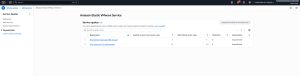 [Click on image for larger view.] This is the page used to request a quota increase.
Another thing that you need to know is that AWS creates the VMware Cloud Foundation environment inside of a VPC. The VPC that you choose will need to have sufficient CIDR space available. Otherwise, AWS will be unable to create the required subnets.
This brings up the issue of connectivity. If you want to connect your AWS VMware environment to an on premises environment, you can do so. However, you will need to connect the two environments to one another by using either AWS Direct Connect or a VPN through a transit gateway.
Similarly, the Elastic VMware Service makes use of VSAN. However, you can use NFS or iSCSI to connect to external storage. Amazon recommends using FSx for NetApp ONTAP.
Where to Begin
As you can see, you are going to need to do quite a bit of planning prior to deploying the Elastic VMware Service. As a way of making the planning process easier, Amazon has created the Getting Started Hub. This hub provides links to the documentation and walks you through the process of putting the various prerequisites into place.
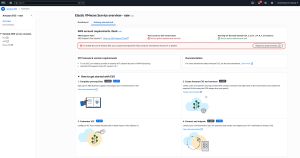 [Click on image for larger view.] The Getting Started Hub can help you with the planning and prerequisites.
About the Author
Brien Posey is a 22-time Microsoft MVP with decades of IT experience. As a freelance writer, Posey has written thousands of articles and contributed to several dozen books on a wide variety of IT topics. Prior to going freelance, Posey was a CIO for a national chain of hospitals and health care facilities. He has also served as a network administrator for some of the country's largest insurance companies and for the Department of Defense at Fort Knox. In addition to his continued work in IT, Posey has spent the last several years actively training as a commercial scientist-astronaut candidate in preparation to fly on a mission to study polar mesospheric clouds from space. You can follow his spaceflight training on his Web site.